---
title: "How to Add a Page by App"
slug: "how-to-add-a-page-by-app"
updated: 2022-06-17T02:48:43Z
published: 2022-06-17T02:48:44Z
canonical: "developer.comm100.com/how-to-add-a-page-by-app"
---
> ## Documentation Index
> Fetch the complete documentation index at: https://developer.comm100.com/llms.txt
> Use this file to discover all available pages before exploring further.
# How to Add a Page by App
## Introduction
This article introduces how to develop an app to extend Page in the Control Panel.
We will show you how to add a page under the Live Chat module in this example. You can also use [Server API(Restful)](/docs/server-api-reference) and [App API(JavaScript)](/docs/app-api-reference) to implement more complex logic based on your own requirements.
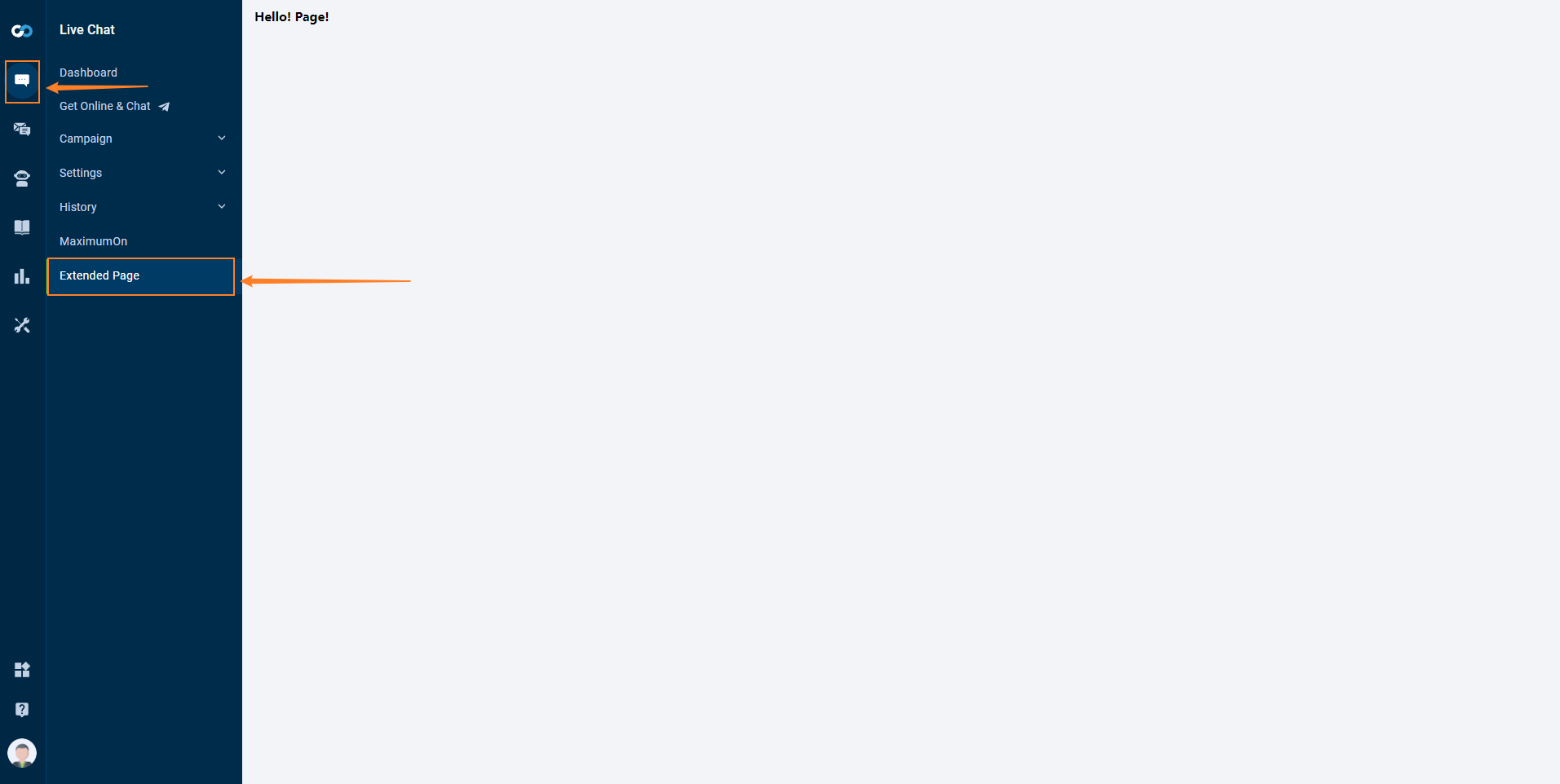
After completing all steps, you can see a new menu when you select the Live Chat menu, as follows:
## Prerequisites
Read [Developing An App](/docs/guides-app-developing-an-app) for setting up a testing environment.
## Steps
1. [Configuring the manifest file](/docs/how-to-add-a-page-by-app#configuring-the-manifest-file)
2. [Modifying the index.html](/docs/how-to-add-a-page-by-app#modifying-the-indexhtml)
3. [Testing App](/docs/how-to-add-a-page-by-app#testing-app)
## Configuring the manifest file
Configure manifest as follows.
```
{
"manifestVersion": "2.0",
"controlPanel": {
"pages": [
{
"id": "extended-page",
"path": "liveChat/customPage",
"url": "./index.html",
"icon": "./icon.png",
"label": "Extended Page"
}
]
}
}
```
If you want to know more about `path` configuration, click [here](/docs/how-to-config-path).
## Modifying the index.html
Copy the following code to index.html
```
Hello App
Hello! Page!
```
## Testing App
Follow this [guide](/docs/guides-app-create-your-own-apps), log in to Control Panel, you can find a new menu named "Extended Page" as follows:
